

Key takeaways:
- Standardized onboarding centralizes employee data and reduces admin workload.
- Common onboarding mistakes: missing docs, unclear pay, premature scheduling.
- Set pay rates and payroll rules before the first job starts to avoid payroll errors.
- Track cleaner skills and certifications to assign correct jobs and ensure quality.
- Integrated software links onboarding, time tracking, and payroll to reduce admin.
Hiring is a major step, but the admin of onboarding cleaning employees can feel overwhelming: forms, pay rates, schedules, training notes, time tracking, and first payroll all have to line up. The Cleaning Software helps cleaning business owners turn onboarding into a repeatable process, so new hires can move from paperwork to paid work without weeks of manual follow-up.
Good onboarding is not just about welcoming a cleaner to the team. It is how you prevent payroll mistakes, scheduling confusion, missed training, and unclear expectations from day one.
What cleaning employee onboarding actually involves
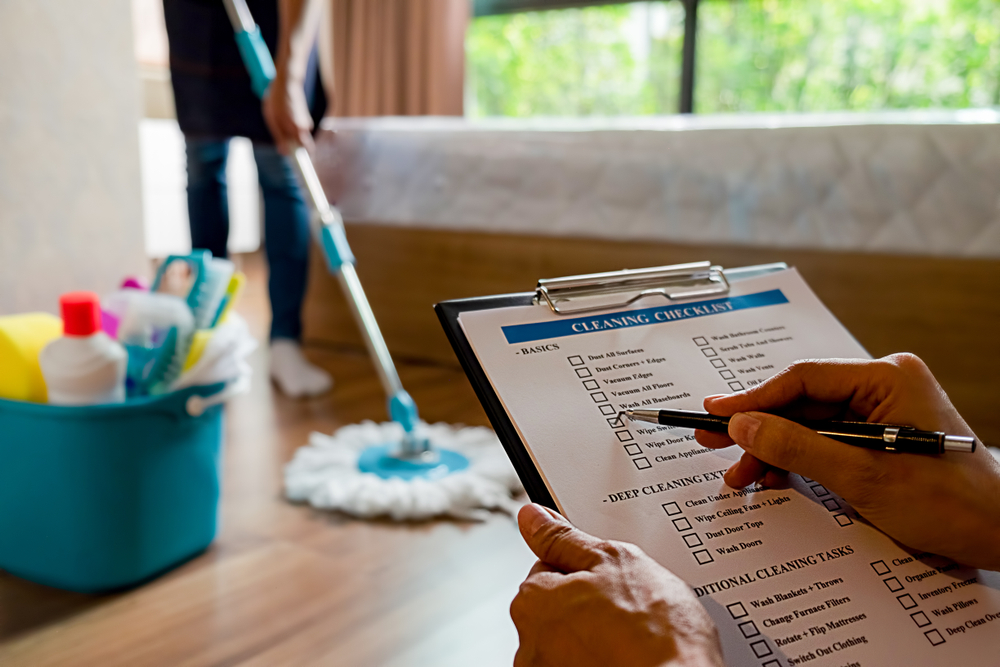
Onboarding cleaning employees means setting up everything a new hire needs to work legally, safely, and consistently. It is part HR, part operations, part payroll, and part customer experience.
A complete onboarding process usually includes:
- Employee contact details
- Emergency contact information
- Employment eligibility documentation
- Federal and state tax forms
- Pay rate and pay type
- Payroll schedule
- Direct deposit or payment details
- Availability and preferred hours
- Service area or route limits
- Job skills and training status
- Uniform, supply, and equipment rules
- Time tracking instructions
- Client communication standards
- First job assignments
Cleaning businesses also need to verify work authorization before a new employee begins work. Employers can review current requirements through the official USCIS Form I-9 employment eligibility guidance, then keep the completed process organized alongside payroll, scheduling, and employee records.
The key is to collect this information once, store it clearly, and connect it to scheduling and payroll. If employee details live in paper folders, text threads, and spreadsheets, the first payroll run becomes harder than it needs to be.
The most common onboarding mistakes cleaning businesses make
Most onboarding mistakes happen because the owner is trying to hire, train, schedule, and run payroll at the same time.
Common problems include:
- Starting work before setup is complete: If tax forms, pay rates, or availability are missing, payroll becomes a scramble.
- Not explaining how pay works: New cleaners should know whether they are paid hourly, by job, by role, or with bonuses.
- Assigning jobs before confirming availability: This creates conflicts in the first week and can damage trust quickly.
- Skipping time tracking training: If a cleaner does not know how to clock in and out correctly, the first paycheck may be wrong.
- Not documenting skills: A cleaner may be assigned to a deep clean, move-out job, or commercial account before they are trained for it.
A simple onboarding checklist prevents these issues. It also gives the employee a better first impression because the business feels organized from the start.

How to set up pay rates and payroll rules from day one
Pay setup should happen before the cleaner is assigned to their first job. This is one of the most important steps in cleaning business payroll because every later calculation depends on it.
Start by defining:
- Hourly rate
- Job-based rate, if used
- Training rate, if different
- Lead cleaner rate
- Bonus or performance pay rules
- Mileage or travel reimbursement policy
- PTO or sick time eligibility
- Overtime rules
- Pay period and payday
The Cleaning Software helps owners set up a new employee profile with pay details connected to scheduling, time tracking, and payroll calculations. This reduces the risk of paying from memory or entering a cleaner into payroll after they have already worked several jobs.
For example, if a cleaner earns $20 per hour and works 28 approved hours in the first pay period, gross regular pay is:
- $20 × 28 = $560
If the same cleaner works 3 paid training hours at $16 per hour, training pay is:
- $16 × 3 = $48
Clear rules make the first paycheck easier to explain and easier to verify.
How to document cleaner skills, certifications, and preferences in your system
Not every cleaner should be assigned to every job right away. New employees may need training before handling specialty services, commercial accounts, move-out cleans, post-construction cleaning, or alarm-access jobs.
Track details such as:
- Residential cleaning experience
- Commercial cleaning experience
- Deep clean training
- Move-in and move-out cleaning skills
- Equipment training
- Chemical safety training
- Keyholder or alarm-code approval
- Pet preferences or restrictions
- Preferred service areas
- Language preferences
- Team fit or lead cleaner readiness
This information helps managers assign the right person to the right job. It also protects quality. A new cleaner may be excellent on recurring residential work but not ready to lead a large commercial job alone.
The right cleaning company employee management software should keep these details visible during scheduling, not buried in a paper file.

How to assign first jobs and communicate expectations
The first few jobs shape how a new cleaner understands your company’s standards. Assign work carefully and communicate expectations clearly.
For the first week, consider assigning:
- A trainer or lead cleaner
- Jobs close to the cleaner’s service area
- Standard recurring cleans before complex jobs
- Fewer jobs per day while they learn the process
- Clear checklists and client notes
- Time to review mobile clock-in and job completion steps
New hires should know:
- Where to go
- Who they are working with
- What time to arrive
- How to clock in and out
- What supplies to bring
- What checklist to follow
- What to do if the client is not home
- Who to contact if something goes wrong
Managing cleaning staff PTO and availability through a clear process before scheduling helps prevent assigning new cleaners to jobs they are not available for.
How software simplifies the first payroll run for a new hire
The first payroll run is where weak onboarding usually shows up. If pay rates, hours, job assignments, or employee records are incomplete, the owner has to fix everything at the deadline.
A platform built for payroll and time tracking in cleaning companies, such as The Cleaning Software, simplifies first payroll by connecting a new hire’s profile, initial job assignments, mobile time records, and pay rules in one system. Instead of pulling data from multiple sources, managers can review approved hours, job records, and payroll totals in a single place.
A clean first-payroll workflow looks like this:
- Employee profile is completed.
- Pay rate and payroll rules are entered.
- First jobs are assigned.
- Cleaner clocks in and out on mobile.
- Manager reviews hours and exceptions.
- Approved time feeds into payroll calculations.
- Payroll is reviewed before payday.
A reliable process for documenting cleaning employee hours reduces double-entry and gives owners a clear reference if an employee has questions about their first paycheck by ensuring each new hire’s approved time is tied to the job, schedule, and pay rule.
What records to keep and for how long
Cleaning businesses should treat employee records as part of the operating system, not an afterthought. Well-organized records help with payroll, taxes, scheduling, training, and compliance.
Keep records such as:
- Employee profile details
- Tax withholding forms
- Employment eligibility documentation
- Pay rate history
- Hours worked
- Payroll records
- PTO and sick time records
- Training records
- Certifications
- Policy acknowledgments
- Performance notes
- Termination records, if applicable
Employment, payroll, and tax records should be stored securely and reviewed before anything is deleted. State rules or other federal rules may require longer retention for certain records, so owners should confirm requirements with a payroll professional or employment advisor. Software helps by keeping records organized by employee instead of scattered across folders, inboxes, and spreadsheets.
How to reduce onboarding time from two weeks to two days
Many cleaning businesses take one to two weeks to fully onboard a new employee because every step happens manually. The owner collects forms one day, confirms availability another day, enters pay rates later, sends job details by text, and fixes payroll after the first week.
A faster process is possible when onboarding is standardized.
To reduce onboarding time, build a repeatable workflow:
- Create the employee profile.
- Collect required employment and payroll details.
- Set pay rates and payroll rules.
- Add availability and service areas.
- Record skills, training, and restrictions.
- Assign first jobs.
- Train the cleaner on mobile clock-in.
- Review first payroll before payday.
The Cleaning Software supports this two-day approach by keeping employee setup, availability, job assignments, time tracking, and payroll calculations connected. Day one can focus on profile setup, pay rules, and training. Day two can focus on assigning first jobs, verifying time tracking, and reviewing payroll readiness.
The result is not rushed onboarding. It is organized onboarding. New cleaners know what to do, managers know what is complete, and payroll is ready before the first paycheck is due.
Table of Contents
How to Onboard and Pay New Cleaning Employees Without the Admin Overload
What cleaning employee onboarding actually involves
The most common onboarding mistakes cleaning businesses make
How to set up pay rates and payroll rules from day one
How to document cleaner skills, certifications, and preferences in your system
How to assign first jobs and communicate expectations
How software simplifies the first payroll run for a new hire
What records to keep and for how long
How to reduce onboarding time from two weeks to two days
What information do I need to collect when hiring a cleaning employee?
How do I set different pay rates for different types of cleaning jobs?
Can cleaning software store employee certifications and training records?
How do I run payroll for a cleaner who starts mid-pay-period?
What documents do I need to keep for cleaning employees?
Does The Cleaning Software help with cleaning employee onboarding and first payroll?


