

Key takeaways:
- PTO and availability directly impact cleaning schedule reliability and job coverage.
- Centralized availability tracking prevents errors from texts, spreadsheets, and memory.
- PTO workflow requires checking schedules before approval and assigning backup coverage.
- Software connects PTO jobs and payroll and flags conflicts before schedules go live.
- Backup cleaners and clear policies reduce disruption from last minute call outs.
PTO and availability issues can quickly turn into missed jobs, rushed reassignments, payroll errors, and unhappy clients. For cleaning companies, staff availability is not just an HR detail — it is the foundation of a reliable schedule. The Cleaning Software helps cleaning businesses with coordination for the cleaning staff, PTO management, and scheduling conflicts in one connected system instead of relying on spreadsheets, texts, and memory.
When availability is clear before jobs are assigned, owners can protect service quality, reduce last-minute stress, and keep payroll cleaner.

Why PTO and availability management is harder in cleaning than in office jobs
Cleaning teams rarely work one fixed schedule in one fixed location. A cleaner may handle recurring residential jobs in the morning, a commercial account at night, and occasional deep cleans on weekends. Many cleaning businesses also rely on part-time staff, flexible workers, and route-based teams.
That makes availability harder to manage because each schedule may depend on:
- Client location
- Job type
- Route timing
- Team pairing
- Key or alarm access
- Skill level
- Transportation
- PTO or sick time
- Maximum weekly hours
One unavailable cleaner can affect multiple clients and coworkers. A manager may need to reassign jobs, adjust a route, contact a client, avoid overtime, or find backup coverage.
There is also a staffing reality behind the scheduling challenge. The Bureau of Labor Statistics notes that part-time work is common for janitors and building cleaners, and schedules may include evenings, nights, weekends, or holidays, according to its work schedule data for janitors and building cleaners. That makes availability tracking especially important for cleaning companies with flexible, route-based, or shift-based teams.
How to set up an availability tracking system for cleaning staff
An availability tracking system shows when each cleaner can work before the schedule is built. It should be specific, easy to update, and visible to managers.
Track the basics:
- Available days and hours
- Unavailable days
- Preferred start and end times
- Service areas
- Transportation limits
- Job types the cleaner can perform
- Lead cleaner status
- Maximum weekly hours
- Approved PTO and sick leave
The most important rule is centralization. Employee availability for a cleaning business should not live in text messages, notebooks, or one manager’s memory. When information is scattered, scheduling conflicts are almost guaranteed.
A reliable process has three steps:
- Cleaners submit availability changes in writing or through software.
- Managers review and approve changes.
- The scheduling system flags conflicts before jobs are published.
This turns availability from an informal request into a repeatable scheduling workflow.

How to handle PTO requests without disrupting your schedule
PTO requests should be reviewed against the live schedule before they are approved. The problem is not employees taking time off. The problem is approving PTO without knowing which jobs, clients, or routes will be affected.
Review the schedule before approving PTO
Start by checking whether the cleaner is already assigned to jobs, recurring clients, or route-based work. This helps managers understand the real impact of the request before they approve, deny, or adjust it.
A clean PTO workflow looks like this:
- Employee submits the request.
- Manager checks assigned jobs and recurring clients.
- Coverage needs are reviewed.
- Request is approved, denied, or adjusted.
- Schedule is updated.
- Replacement coverage is assigned.
- PTO hours flow into payroll.
Clarify PTO rules for part-time cleaners
Part-time cleaners may need extra clarity. Your policy should explain who qualifies for PTO, how time is accrued, how far in advance requests must be submitted, whether partial-day PTO is allowed, and how PTO is paid. Clear rules reduce confusion when employees work variable hours or only cover certain routes.
Connect approved PTO to payroll
PTO also affects payroll accuracy. If approved time off is stored separately from payroll, it may be missed or entered incorrectly. A payroll system built around cleaning job data helps approved PTO, sick time, and worked hours flow into pay calculations with less manual reconciliation.
How to prevent scheduling conflicts when availability changes
Most scheduling conflicts happen when availability, PTO, and job assignments are not connected. A cleaner changes availability, but recurring jobs stay assigned. A PTO request is approved, but no one updates the route. A replacement cleaner is added, but payroll still reflects the original employee.
Before approving a change in employee availability, a cleaning business should check:
- Is the cleaner already scheduled?
- Are they assigned to recurring clients?
- Does the job require special skills, keys, or alarm codes?
- Will the team be understaffed?
- Will another cleaner go into overtime?
- Does the route still make sense?
- Does the client need to be notified?
The Cleaning Software helps managers catch these issues earlier by connecting availability, PTO, cleaner assignments, and schedules. Instead of discovering the conflict on the day of service, managers can see the issue while there is still time to reassign work.
That is the real value of cleaning company scheduling software: it turns availability into a live scheduling rule, not a static note.
How to communicate availability requirements clearly to new hires
Availability expectations should be explained before a cleaner is added to the schedule. New hires need to understand that availability affects clients, routes, coworkers, and pay.
During onboarding, explain:
- Expected workdays and hours
- How schedules are published
- How availability changes are submitted
- How PTO requests are reviewed
- What counts as a last-minute call-out
- Who to contact in an emergency
- Whether evenings or weekends are required
- How schedule changes affect payroll
Put these rules in writing and review them during training. This prevents confusion later when a new employee assumes availability can change by text, while the owner assumes the schedule is already confirmed.
A structured workflow for onboarding new cleaners helps set expectations before the first shift and reduces avoidable scheduling mistakes.
How software tracks PTO, availability, and conflicts automatically
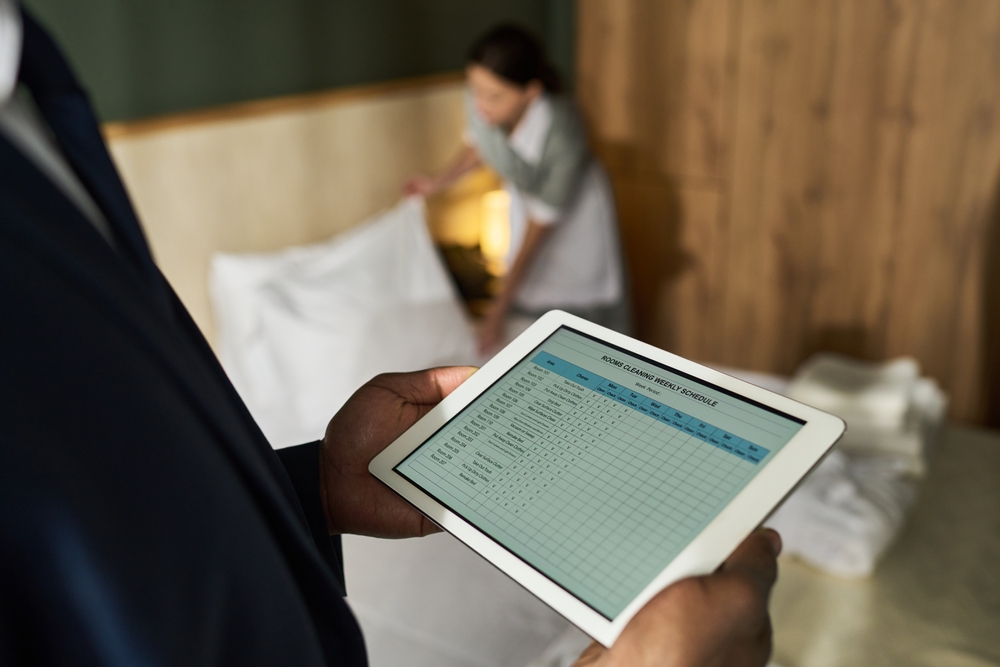
Manual tracking may work for one or two cleaners, but it breaks down quickly as the team grows. Software makes PTO and availability easier by connecting employee requests to the live schedule.
A good system should include:
- Availability profiles
- PTO request submission
- Manager approvals
- Conflict alerts
- Recurring job visibility
- Team assignment checks
- Schedule updates
- Payroll visibility
- Notes for exceptions
The Cleaning Software gives cleaners a clear place to submit PTO and availability requests while giving managers visibility into conflicts before approvals affect the schedule. For example, if a cleaner requests Friday off but is already assigned to three recurring clients, the manager can see that before approving the request.
Software also helps with payroll. Approved PTO, sick time, and actual hours should connect to pay records so managers do not have to manually reconcile time off at the end of the week. Pairing availability management with job-based time tracking for cleaning teams gives owners a clearer view of who was scheduled, who worked, and who should be paid.
Keeping time, PTO, and availability records connected gives managers a cleaner payroll workflow and reduces the chance that approved time off is missed before payday.
How to build a backup coverage plan for last-minute call-outs
Last-minute call-outs are unavoidable. Illness, childcare issues, car trouble, and emergencies happen. The goal is to have a backup plan before the day falls apart.
Start by identifying the jobs that need urgent coverage:
- Recurring commercial accounts
- Same-day turnovers
- Move-in or move-out cleans
- High-value residential clients
- Jobs requiring keys or alarm codes
- Large team cleans
- First-time client appointments
Then create a backup list by service area, skill level, transportation, and availability. For small cleaning businesses, two to four flexible backup cleaners may be enough. Larger companies may need backup coverage by route, shift, or job type.
A good backup plan should include:
- A short list of trained backup cleaners.
- Clear call-out notice rules.
- Priority levels for urgent jobs.
- A reassignment process.
- Overtime visibility.
- Client communication templates.
Backup coverage should not rely on panic texting. Managers should know who can cover, which jobs matter most, and how to update the schedule quickly.
Table of Contents
How to Manage Cleaning Staff PTO, Availability, and Scheduling Conflicts
Why PTO and availability management is harder in cleaning than in office jobs
How to set up an availability tracking system for cleaning staff
How to handle PTO requests without disrupting your schedule
Review the schedule before approving PTO
Clarify PTO rules for part-time cleaners
Connect approved PTO to payroll
How to prevent scheduling conflicts when availability changes
How to communicate availability requirements clearly to new hires
How software tracks PTO, availability, and conflicts automatically
How to build a backup coverage plan for last-minute call-outs
How do I manage PTO for part-time cleaning employees?
Can scheduling software flag conflicts when a cleaner requests time off?
What is a good policy for last-minute call-outs in a cleaning business?
How many backup cleaners should I have on call?
Should cleaners set their own availability in the software or through the owner?
Can The Cleaning Software manage PTO requests and availability for cleaning staff?


