
Key takeaways:
This guide compares the top CRMs for cleaning companies in 2026, with a focus on automation, scalability, and how they work in real cleaning businesses.
- Cleaning-specific CRMs win on speed: They launch faster and match real cleaning workflows without heavy setup.
- Automation drives the biggest ROI: The best tools eliminate manual scheduling, reminders, invoicing, and follow-ups.
- TCS stands out for specialization: It’s built only for cleaning businesses with wages, reporting, and messaging included.
- General CRMs need customization: Platforms like Jobber, Housecall Pro, and Monday require setup and higher tiers.
- Insight matters more than features: Top CRMs show what’s working in your business, not just store information.
Operating a cleaning company involves coordinating schedules, overseeing staff, handling transactions, and maintaining clear communication—responsibilities that can easily overwhelm even highly organized operators. Without proper systems, the back-office work can rapidly turn into a draining, time-intensive burden.
This is where an effective CRM proves valuable. The best CRM for cleaning businesses consolidates these responsibilities, handling recurring tasks automatically and organizing everything in a single hub. This allows you to concentrate on expanding your company. That said, numerous solutions exist, and each approaches things somewhat uniquely. What works for your operation depends on your processes and primary requirements.
We’ve examined five solutions that cleaning companies are adopting in 2026 to identify the top cleaning software:
- The Cleaning Software for complete operational optimization
- Housecall Pro for full-featured field service administration
- Jobber for efficient service workflow management
- Method for integration with QuickBooks
- Monday CRM for adaptable, personalized processes
Each cleaning CRM solution offers distinct advantages for your operation. The proper selection depends on your workforce size, your operational approach, and the systems you currently utilize. Throughout this guide, we’ll examine how these solutions measure up in critical areas: their suitability for the cleaning sector, their practical usability, their available capabilities, their capacity to scale alongside your business, and whether they provide genuine worth relative to their cost.
Comparing the best CRMs for your cleaning business
Not every CRM solves the same problems in the same way. Some platforms are built specifically for cleaning operations, while others are broader field service tools that can be adapted to fit cleaning workflows with additional setup. The differences aren’t always obvious at first glance, which is why a side-by-side comparison matters.
When evaluating these systems, it’s important to look beyond feature lists and pricing tiers. Consider how each CRM handles recurring scheduling, crew coordination, customer communication, reporting, and scalability. A platform might offer impressive capabilities on paper but require extensive configuration before it truly supports a cleaning business.
The comparison below highlights how each solution performs across the areas that matter most to cleaning company owners in 2026. Whether you prioritize automation, flexibility, integration, or an all-in-one operational structure, this breakdown will help clarify which CRM aligns best with your business goals.
| Tool | Pros | Cons | Pricing | Best for |
|---|---|---|---|---|
| The Cleaning Software |
|
Exclusively serves cleaning industry |
|
Cleaning operations seeking an all-in-one platform with wage processing, invoicing, customer messaging, and reporting designed precisely for cleaning company workflows, with costs that adjust as staff expands. |
| Housecall Pro |
|
Advanced functionality comes at higher cost, lacks cleaning specialization |
|
Residential service businesses spanning various industries |
| Jobber |
|
Requires customization for cleaning workflows, advanced capabilities need premium subscriptions |
|
Service businesses managing diverse project categories |
| Method |
|
CRM-focused platform, demands configuration for cleaning business needs |
|
Companies operating with QuickBooks as their foundation |
| Monday.com |
|
Lacks cleaning specialization, demands initial configuration; certain essential features restricted to upper-tier packages |
|
Organizations seeking an adaptable, visual platform and prepared to customize it for their operational requirements |
The Cleaning Software (TCS)
The Cleaning Software originates from people who’ve personally operated cleaning companies, and that experience is evident. It’s among the rare solutions developed solely for this sector, meaning it incorporates capabilities that broad service platforms simply overlook. For operators hunting for the top CRM for cleaning businesses, this degree of industry focus eliminates a significant amount of trial and error.
That focus also shapes how the platform is structured and how information moves through the system. Instead of layering cleaning workflows onto a generic CRM, TCS is organized around how cleaning businesses plan work, assign crews, and track results.
This creates a more predictable day-to-day experience for both owners and field staff. It also reduces the need for constant adjustments as the business grows or service volume increases. Taken together, this design philosophy becomes clear when you look at the platform’s core strengths.
Pros
Here’s what distinguishes TCS:
Built exclusively for cleaning operations
Every element within the platform connects directly to how cleaning companies truly function. The service entry interface, for example, automatically retrieves location square footage to assist with pricing services and projecting duration. You can develop task checklists and establish recurring schedules for thorough cleaning appointments that occur quarterly.
Wage processing integrated into the platform
Most solutions require you to link external payroll providers or transfer data to bookkeeping applications. TCS handles wage processing natively. Your hour tracking, compensation adjustments, and actual disbursements all occur within a single environment, requiring no additional memberships.
Customer notifications run on autopilot
Manually messaging or contacting clients regarding scheduled appointments consumes valuable time. TCS delivers these notifications automatically via both text and email, already incorporated into your subscription. This represents one of the most practical advantages of cleaning-specialized software.
Field application designed for cleaning crews
The application displays to cleaners precisely what’s necessary: their calendar, customer details, specific directions, and duty rosters. It doesn’t attempt to accommodate every variety of service operation, allowing your staff to understand it rapidly without navigating through unrelated capabilities.
Analytics centered on cleaning business indicators
The reporting displays what’s relevant for cleaning operations, including finished appointments, wage information, and client trends. You won’t waste time filtering through metrics that don’t relate to your operation. They provide a comprehensive demonstration if you’d like to explore how everything functions.
Complete capabilities without tier restrictions
As one of the top cleaning service CRMs, TCS incorporates wage processing, customer notifications, and cleaning-oriented analytics in every subscription tier immediately. You won’t encounter limitations where you unexpectedly need to spend more just to unlock fundamental functionality that should’ve been available from the start.
Cons
The TCS CRM isn’t ideal for every situation. Here’s what to keep in mind:
Less established market footprint
Since TCS concentrates on a single sector and has entered the marketplace more recently, you won’t discover as many customer testimonials or forum conversations available. They do provide credible case examples featuring actual cleaning operations utilizing the solution, which offers you a clearer picture of how it truly delivers.
Exclusively for cleaning operations
TCS was created with cleaning companies in mind, meaning it doesn’t accommodate other service categories like plumbing, HVAC, or pest management. If you’re outside the cleaning sector, you’ll require alternative software or adjustments to make it work.
Jobber
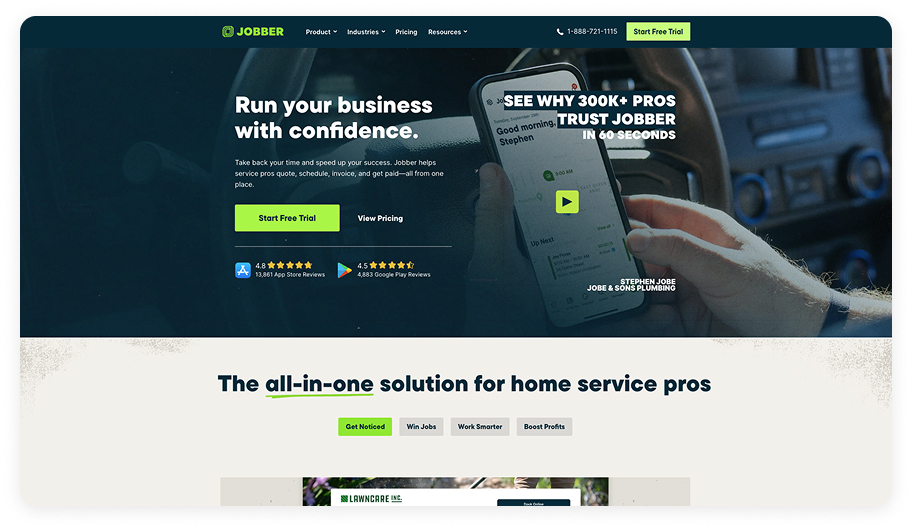
Jobber has built up experience over years serving small and mid-sized service operations spanning multiple sectors. While it may not rank as the top CRM for cleaning businesses, it brings meaningful benefits to the table.
Pros
Let’s look at what Jobber handles effectively:
Dynamic appointment management
The calendar interface allows you to shift bookings around through simple drag-and-drop actions when reassigning staff or responding to unexpected schedule changes. The design feels intuitive, preventing frustration during hectic periods.
Customer-facing online portal
Clients access their own protected dashboard to examine proposals, authorize services, and complete transactions. This elevates your professional image while delivering the openness customers value.
Seamless estimate-to-job workflow
Build comprehensive proposals and deliver them through the system. Once approved, these automatically convert into booked work without manually reentering the same details.
Data-driven business insights
Jobber tracks your revenue, team productivity, and customer history. The visual reports help you spot patterns and figure out where to focus your growth efforts.
Cons
While Jobber supports various service industries, certain limitations deserve consideration:
Generic approach needs adaptation
Because Jobber targets everyone from lawn care providers to electrical contractors, the out-of-the-box setup won’t align perfectly with your particular operations. Cleaning business owners typically invest time tweaking configurations and building custom data fields to achieve the desired functionality.
2. Advanced capabilities require upgraded plans
Features like automated client communications and sophisticated reporting sit behind pricier subscription tiers. As your needs expand and you start requiring these tools, monthly expenses can climb significantly.
Method
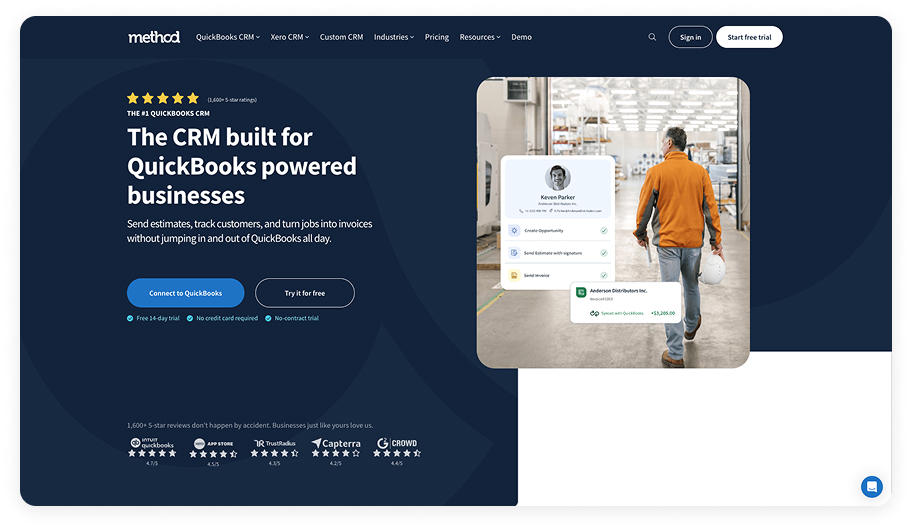
Method started as a CRM that works closely with QuickBooks, which makes it a solid option for businesses that already use QuickBooks for their accounting.
Method began as a CRM solution designed to integrate tightly with QuickBooks, positioning it as a strong contender for companies already managing their finances through QuickBooks.
Pros
What Method brings to your business:
Fully customizable CRM framework
Method allows you to structure client records, appointment processes, and work coordination in whatever way suits your operation. This adaptability proves valuable when your company has unique needs or when you want to mirror your current procedures within the software.
Native QuickBooks connectivity
This represents Method’s core strength. Client details, transactions, and billing documents flow effortlessly between Method and QuickBooks, minimizing redundant data entry and reducing error rates.
Time-saving automation capabilities
Method takes over routine activities such as generating invoices, chasing overdue accounts, or assigning work to staff members. These automated processes can reclaim substantial hours previously devoted to office tasks.
Reliable prospect collection
The platform includes online forms that channel prospective customer information directly from your site into your database. This translates to fewer lost opportunities and quicker follow-up.
Cons
Method presents some significant considerations when evaluating whether it truly fits as the best CRM for a cleaning company:
CRM foundation rather than cleaning-specific solution
Method operates primarily as a multipurpose CRM system. Elements critical to cleaning businesses—like repeat service scheduling, job-specific checklists, or wage management—require building from scratch. Although Method can technically accommodate these through extensive customization, it won’t function immediately like purpose-built cleaning platforms.
Implementation demands effort
Method’s high customizability means launching it isn’t simply a matter of registration and go-live. Tailoring it to fit your cleaning business workflows demands both time and learning. This becomes problematic when you need operational software without delay.
Housecall Pro
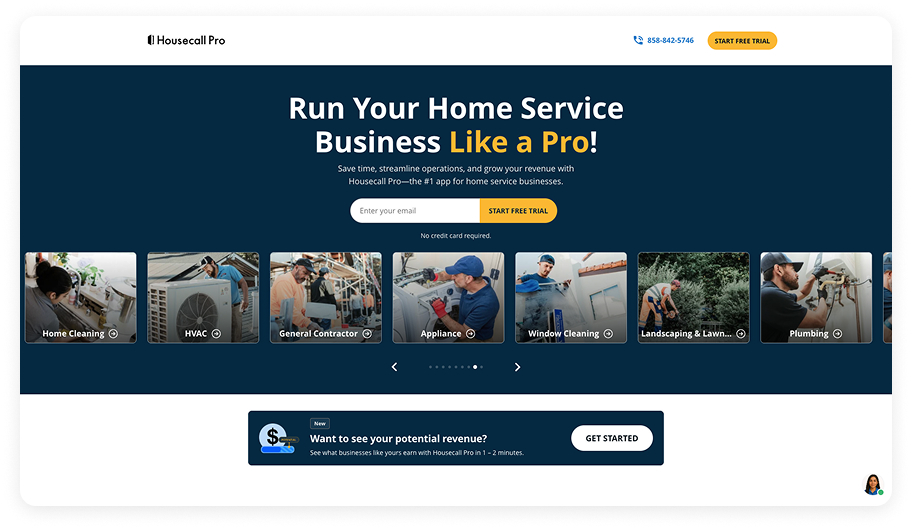
Housecall Pro has earned recognition across various residential service industries, including HVAC, plumbing, electrical contracting, and cleaning. Though it might not stand out as the best CRM for cleaning businesses, its widespread adoption speaks to real strengths.
Pros
Here is where Housecall Pro excels:
Straightforward online scheduling
Clients can book appointments through a web-based system instead of calling your office. This lightens your administrative workload and streamlines how you acquire new customers. The scheduling module gathers important information upfront so your crews show up prepared with everything they need.
Automated billing and payment collection
Once work wraps up, the system creates invoices automatically and enables customers to pay instantly through the platform. This reduces concerns about payment collection and prevents things from slipping through organizational cracks.
Automated customer text notifications
The software dispatches text alerts informing clients when your team is approaching or updating them on job status. This eliminates potential miscommunication and maintains transparent customer relations.
Third-party integration options
Housecall Pro links with Mailchimp, QuickBooks, Zapier, and additional platforms you may currently operate. Expanding capabilities and connecting to your established technology stack happens relatively smoothly.
Cons
Despite its clear benefits, Housecall Pro presents some challenges worth weighing:
Core functionality locked behind higher tiers
Entry-level subscriptions come with considerable restrictions. Certain capabilities—advanced workflow automation or in-depth analytics—require costlier packages. Starting with an economy plan often means upgrading faster than anticipated.
Broad industry focus dilutes specialization
Housecall Pro caters to numerous service sectors beyond cleaning—plumbing, HVAC, and more. While it manages fundamental operations like scheduling and invoicing competently, it’s missing cleaning-centric features such as built-in inventory management for supplies or frequency-based service rotations. Cleaning companies may need to modify their workflows or incorporate separate solutions to address these shortcomings.
monday CRM
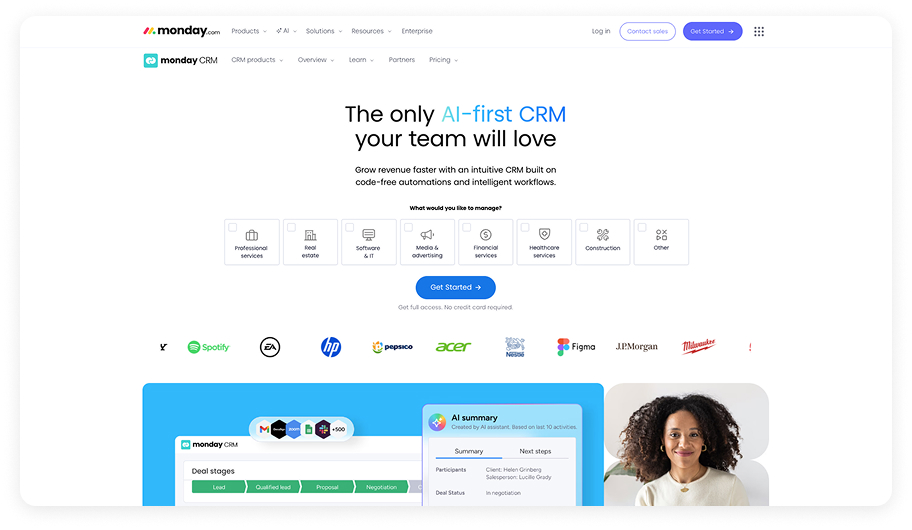
Monday CRM is a well-established work management and CRM solution recognized for its versatility. While it wasn’t specifically engineered as the top cleaning service CRM, its extensive customization capabilities suggest it could potentially meet your requirements.
Pros
Let’s take a look at what monday CRM delivers:
Highly adaptable workflow configuration
Monday CRM’s structure bends to match how your cleaning company actually functions. You can build custom boards or leverage existing templates for scheduling, client management, and supply monitoring. This malleability allows you to recreate your current operational methods within monday CRM instead of conforming to an inflexible system that doesn’t align with your business.
Automation for routine processes
The platform provides robust automation features that recover time otherwise consumed by repetitive activities. Configure automatic recurring cleaning bookings, trigger client appointment reminders, or generate invoicing tasks without manual intervention each occurrence.
Integration with existing business tools
Monday CRM connects with numerous applications potentially already embedded in your operations. It synchronizes with QuickBooks and Xero for financial management, simplifying accounting workflows. Calendar system integration keeps job scheduling and team coordination organized.
Intuitive visual interface
The design emphasizes clarity with drag-and-drop functionality, making schedule adjustments or job reassignments feel effortless. Multiple viewing options—lists, Kanban boards, timelines, calendars—let you visualize your workload in whatever format best suits your thinking.
Cons
Monday CRM presents some legitimate concerns to evaluate:
Generalist platform lacking industry-specific tools
Because monday CRM was developed as a universal work platform, it arrives without cleaning-industry features built in. Elements like ready-made service checklists or frequency-based scheduling modules require creation from scratch. Expect to invest significant setup time building boards and processes that reflect actual cleaning business operations. Capabilities like comprehensive payroll management, route planning, or sector-specific analytics aren’t included natively.
Per-user pricing escalates with team growth
Monday CRM bills per team member, meaning each additional cleaner or administrative employee raises your monthly expense. Many sophisticated features—certain integrations, expanded automation allowances—remain locked until you purchase premium tiers. As your company expands, you’ll likely need to upgrade subscriptions, and costs can become substantial with larger workforces.
How do you choose the top CRM for your cleaning company?
Choosing the right CRM means finding software that actually supports how your cleaning business operates every day. Many cleaning companies start with general CRMs that promise flexibility, only to spend months configuring workflows and training staff on systems that were never designed for recurring cleaning work. Over time, that complexity creates more friction instead of less.
If you want the best software that just works without endless setup, it makes sense to choose a CRM built specifically for cleaning companies. The Cleaning Software (TCS) was created by people who have run cleaning businesses themselves, which means the platform is already structured around real-world cleaning operations.
This purpose-built approach helps reduce administrative workload, improves consistency across your team, and gives you better visibility into what’s happening in your business. As your company grows, TCS scales with you without forcing costly upgrades just to unlock basic functionality. Instead of constantly adjusting your software, you can focus on serving customers, supporting your staff, and building a more profitable operation. If you’re ready to see what a CRM designed exclusively for cleaning businesses looks like in practice, get in touch with us today and schedule your demo!
How to choose the best CRM for a cleaning company in 2026?
When choosing a CRM in 2026, popularity and feature count don’t tell the full story. What matters is how well the software supports your workload today and whether it will still make sense as your cleaning business grows. The best CRM for cleaning services should feel like it fits into your existing workflow, not something you have to work around.
1. How do your current cleaning workflows affect CRM selection?
Before comparing tools, look at your current operation. Do you rely mostly on recurring residential clients, or are one-time and commercial jobs a big part of your revenue? How often do schedules change? How involved are you in day-to-day coordination? A CRM should reflect your real workflow—not the one you hope to have someday. Software that fits your current processes will deliver value immediately instead of requiring months of adjustment.
2. Which CRM features matter most for cleaning companies in 2026?
In 2026, a CRM’s real value lies in how much routine work it eliminates. Look for tools that automate scheduling, reminders, invoicing, and internal handoffs without constant oversight. If you still need to manually confirm appointments, chase payments, or rebuild schedules, the system isn’t doing enough of the heavy lifting.
3. How can you tell if a CRM will reduce manual work?
Even the most powerful CRM fails if your cleaners and office staff don’t use it consistently. Pay attention to the field experience: how simple the mobile app is, how quickly cleaners can find job details, and whether daily tasks feel intuitive. A CRM that’s easy to adopt will improve accountability and reduce errors without extensive training.
4. How do you choose a CRM your cleaning team will actually use?
Monthly cost matters, but switching CRMs later is far more expensive than choosing the right one upfront. Consider how pricing scales as your team grows, whether key features are locked behind higher tiers, and how flexible the platform will be as your operation becomes more complex. A slightly higher upfront investment can prevent costly migrations down the line.
5. How should CRM pricing and scalability influence your decision?
The best CRMs for cleaning companies go beyond storing information. They help owners see what’s actually happening in the business and make better decisions day to day. If a CRM can’t clearly show you what’s working and what isn’t, it’s acting as a database rather than a management tool.
Table of Contents
- Key Takeaways
- The Top 6 CRMs for Cleaning Companies in 2026
- Comparing the best CRMs for your cleaning business
- The right CRM changes everything for cleaning companies.
- The Cleaning Software (TCS)
- Jobber
- Method
- Housecall Pro
- Monday CRM
- How do you choose the top CRM for your cleaning company?
-
How to choose the best CRM for a cleaning company in 2026?
- 1. How do your current cleaning workflows affect CRM selection?
- 2. Which CRM features matter most for cleaning companies in 2026?
- 3. How can you tell if a CRM will reduce manual work?
- 4. How do you choose a CRM your cleaning team will actually use?
- 5. How should CRM pricing and scalability influence your decision?
- Common questions about choosing the best CRM for cleaning businesses
- How long does it take to set up a CRM for a cleaning business?
- Will switching CRMs disrupt my cleaning business?
- Can a CRM manage both employees and subcontractors?
- What happens if my cleaning business outgrows its CRM?
- Is a CRM worth it for a small or solo cleaning business?


