


Key takeaways:
- Route optimization cuts drive time, fuel costs, delays, and wasted capacity.
- Grouping jobs by area creates denser routes and fewer unnecessary miles.
- GPS tracking verifies arrivals, departures, and real-time crew progress.
- Integrated software connects routing, scheduling, payroll, and client data.
- Strong routing tools quickly adjust for cancellations, callouts, and new jobs.
Every unnecessary mile between cleaning jobs cuts into what should be a productive workday. Crews spend more time behind the wheel, vehicles burn more fuel, arrival windows slip, and dispatchers spend their mornings moving appointments around instead of running the business.
Most of that waste is fixable with the right cleaning business routing software. Instead of requiring you to put more pressure on your crews or hire additional employees, software allows you to address the problem by improving how jobs are sequenced, assigned, and confirmed.
As an all-in-one cleaning management platform, The Cleaning Software brings routing into the same system already managing bookings, payroll, and client records. With those workflows connected, cleaning businesses can plan more efficient schedules, verify field activity, and make clearer decisions about labor, mileage, and operating costs.
Let’s explore how routing and route optimization work in practice, and how purpose-built software can simplify the entire process.
Why routing inefficiency is a hidden margin killer for cleaning businesses

Routing inefficiency rarely shows up as one big expense. It shows up as small, repeated losses spread across every crew, every job, and every workday, and those losses add up faster than most owners expect.
A cleaner who drives twenty extra minutes between two appointments still finishes the schedule, but the business absorbs the cost in several places:
- Paid travel time that generates no cleaning revenue
- Extra fuel, mileage, and vehicle wear
- Late arrivals that lead to rushed jobs or customer complaints
- Schedule gaps too short to fill but too long to ignore
- More dispatcher time spent calling crews and rebuilding the day
- Less room for same-day work, add-ons, or new recurring clients
For many cleaning businesses, time spent traveling between jobs still counts as work time in one form or another because employees are moving between assigned locations during the workday. Some states go further than that baseline, so it’s worth checking current pay practices against a payroll or employment-law advisor rather than assuming drive time is unpaid by default.
That makes route density a margin issue, not just a convenience. Two crews losing 45 minutes a day to avoidable driving costs the company 7.5 labor hours over a five-day week before fuel is even counted. Tightening routes recovers hours that are already on the payroll and doesn’t require adding a single new expense.
How route optimization works for cleaning businesses
Route optimization is simply the process of sequencing jobs so each crew drives the least distance possible while still meeting customer windows, service times, and staffing limits. Most companies can build more efficient cleaning service routes by grouping jobs differently, but a routing tool removes the manual guesswork and keeps the process consistent from week to week.
This kind of software typically weighs:
- Each job’s address and expected service duration
- Appointment windows and access restrictions
- Cleaner availability, skills, and preferred-client pairings
- Where a crew’s day starts and ends
- Recurring-service patterns
- Expected drive time and mileage between stops
- Breaks, supply runs, and other non-cleaning stops
The software plots jobs on a map, groups them geographically, and shows how moving one appointment affects the rest of the day, so a dispatcher can assign the right job to the right crew without rebuilding the whole schedule by hand. The real value comes from keeping that routing tied to scheduling: when an appointment moves, the travel estimate, crew workload, and customer notification should update from the same record instead of three separate ones.
Core routing features cleaning businesses should look for
Not every map view counts as route optimization. A basic map might show pins, but it won’t necessarily help a dispatcher decide where a job belongs or what happens once the schedule changes.
Look for these core capabilities:
- Interactive map-based scheduling: Dispatchers can see jobs and crews together and drag an appointment to a better time or team
- Automatic drive-time and mileage estimates: The system recalculates travel the moment an assignment changes
- Recurring route memory: Stable weekly routes are reusable instead of rebuilt from scratch
- Crew availability and capacity controls: Routing respects work hours, service duration, and team size
- Area or zone filtering: Jobs can be grouped by ZIP code, neighborhood, or map area
- Fast reassignment: A dispatcher can move a job after a cancellation without losing notes or history
- Mobile job sequence and navigation: Cleaners get an accurate stop order and address details in the field
- Mileage and route reporting: Owners can compare planned versus actual performance over time
- Job-status visibility: On-The-way, arrived, started, and completed statuses let the office manage by exception
- Integration with scheduling, client records, and payroll: A separate routing tool just creates a second set of records to keep in sync
That last point tends to matter more than it looks. If route optimization is disconnected from scheduling and payroll, it doesn’t save time. It simply moves the reconciliation work somewhere else.
How GPS tracking improves accountability and dispatch accuracy
GPS tracking helps answer a few questions objectively instead of relying on phone calls: Has the crew reached the property? Is the previous job actually wrapped up? How much drive time is happening between stops?
When used correctly, it improves dispatch accuracy in a few concrete ways:
- Fewer status calls: The office checks progress instead of texting cleaners repeatedly
- Better same-day decisions: Dispatchers can assign new work to the nearest available crew
- More accurate customer updates: Arrival windows get communicated with real data behind them
- Cleaner records: GPS-linked time events explain missed punches or unusually long jobs
None of this works if it feels like surveillance. Give employees a written policy covering what’s collected, when tracking runs, who can see it, how long records are kept, and how disputes get corrected. The Cleaning Software is designed to make GPS tracking for a cleaning company transparent and practical, giving office staff the visibility they need while helping cleaning companies use GPS data as context for better decisions rather than as a way to catch employees out. The moment tracking stops supporting trust, it starts costing you good employees.

How to group jobs by area to reduce drive time
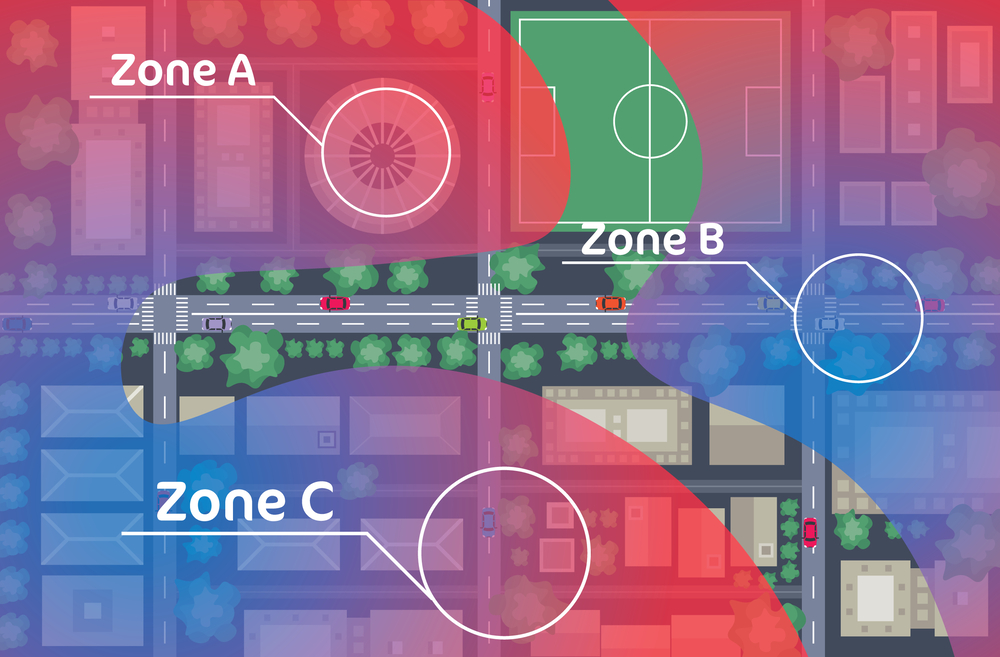
Before touching anything else about a route, it’s best to group cleaning jobs by area because geography usually does more work than clever scheduling ever will. Instead of accepting bookings wherever they happen to fit on the calendar, build recurring density inside defined service zones.
A practical process looks like this:
- Map current clients: Plot recurring and one-time jobs, then spot natural clusters, outliers, and traffic bottlenecks
- Create zones: Group by neighborhood, ZIP code, or actual drive time, not just a shape that looks neat on a map
- Assign preferred service days: Per zone, say the northwest area on Monday and Thursday, downtown on Tuesday
- Protect anchor clients: Keep high-value recurring customers stable and build nearby jobs around them
- Offer controlled booking windows: Support density instead of every open slot on the calendar
- Review outliers: Reprice, move, or drop jobs that keep forcing a crew far off its route
Treat zone-based scheduling as a way to shape demand, not a rigid rule. A high-value client or urgent job can still justify crossing a zone. Track a few numbers by crew and day to see if it’s working: jobs per route, average miles between stops, and the share of appointments that fall outside the assigned zone.

How to handle route changes when cancellations or new bookings arrive
An optimized morning schedule will still change. The goal isn’t to protect the original plan, it’s to absorb the change with the fewest ripple effects.
Use a consistent dispatch sequence:
- Confirm the affected job, time window, crew, and customer priority
- Check whether the change creates an isolated gap or a geographic detour
- Review nearby crews with the right skills and enough available time
- Move the fewest appointments possible
- Recalculate drive time, mileage, and expected arrivals
- Notify the crew and affected customers from the updated schedule
- Record the reason for the change so patterns can be reviewed later
Keep a short waitlist organized by zone and service type. When a cancellation opens a two-hour gap, the dispatcher can offer it to a nearby prospect or recurring customer instead of leaving the slot empty.
The fuel cost and time savings of optimized routing
Optimized routing saves money in three separate places: vehicle cost, paid drive time, and recovered capacity. They’re worth measuring separately so the savings don’t get overstated. When it comes to route optimization, most cleaning business owners already sense where the time is going before they run a single number, and the math just confirms it.
1. Estimate avoidable miles
Annual miles saved = crews × miles saved per crew per day × operating days per year.
Example: four crews cut 20 miles of driving per day over 250 operating days, which comes out to 20,000 fewer miles a year.
For a rough vehicle-cost stand-in, the 2026 business mileage rate applied to those 20,000 miles works out to about $14,500. That rate is built for tax deductions, not a real fuel price, so treat it as a ballpark rather than an exact figure.
For fuel only, use: fuel savings = miles saved ÷ vehicle MPG × average fuel price. At 25 MPG and $3.25 a gallon, 20,000 fewer miles saves roughly 800 gallons, or about $2,600 in fuel. Swap in actual fleet MPG and local prices for something closer to real.
2. Calculate paid drive-time savings
Annual labor savings = crews × drive hours saved per day × operating days × loaded hourly labor cost.
Four crews saving 45 minutes a day across 250 days recovers 750 hours. At $20 an hour in direct wages, that’s $15,000 tied up in avoidable drive time before payroll taxes and benefits are even added. That’s why measuring results matters just as much as planning routes. The Cleaning Software helps bring scheduling, routing, and reporting together so cleaning businesses can better understand the return on their operational improvements.
3. Value recovered capacity carefully
A 45-minute reduction only becomes revenue if it actually gets sold, as an extra small job, an add-on, or fewer overtime hours. Track whether that recovered time is being filled before counting it as real savings.
The Cleaning Software helps cleaning businesses measure those gains over time by connecting route optimization with scheduling, payroll, and reporting, making it easier to see where the real return on investment comes from.

How to use GPS data to verify job arrivals and departures
GPS verification only helps when it creates a clear event trail: a timestamped record tied to the right job. It doesn’t help when someone just watches a dot move around a map all day.
Build a consistent verification process:
- Have cleaners open the assigned job in the mobile app before starting
- Capture a GPS-linked arrival event near the service address
- Flag anything outside a reasonable radius for review, rather than treating it as automatic proof of misconduct
- Record departure only after required notes, photos, or checklists are complete
- Send exceptions to a manager before any time or payroll gets changed
- Keep an audit trail of edits, reasons, and approvals
GPS tracking works best when a cleaning company treats exceptions as normal, not suspicious. Apartment complexes, weak signal, underground parking, and shared commercial addresses all produce legitimate mismatches between a pin and the real service location.
The same data doubles as a process check. Repeated late arrivals might mean service windows are too tight, a route crosses a predictable bottleneck, or one client consistently runs long. Any of those is worth reviewing before assuming it’s a staffing problem.
How to choose route optimization and GPS software for a cleaning business
Choose software based on the workflow it actually improves, not the length of its feature list. A lot of platforms call themselves cleaning business routing software without doing much more than putting pins on a map. The real test is what happens after that.
Ask each vendor:
- Can I schedule and route jobs from the same map?
- Does it calculate travel time and mileage automatically?
- Does it remember recurring route patterns?
- Can I filter or group jobs by service area?
- Does it account for crew availability, skills, and job duration?
- Can dispatchers reassign work without rebuilding the schedule?
- What exactly does GPS capture, and at which job events?
- Can employees see and correct their own time records?
- Do mileage and drive time feed into payroll or reporting?
Test it with real data before deciding. Give the vendor a typical day with several crews, a cancellation, a callout, and a same-day request, and watch how the system actually handles it, not just how the demo script presents it.
Table of Contents
Why routing inefficiency is a hidden margin killer for cleaning businesses
How route optimization works for cleaning businesses
Core routing features cleaning businesses should look for
How GPS tracking improves accountability and dispatch accuracy
How to group jobs by area to reduce drive time
How to handle route changes when cancellations or new bookings arrive
The fuel cost and time savings of optimized routing
How to use GPS data to verify job arrivals and departures
How to choose route optimization and GPS software for a cleaning business


